Facebook Facebook Facebook Facebook

ANDROID

Showing posts with label Ultrabooks. Show all posts

Lenovo Ideapad U310 Ultrabook - Core i5

0 comments


An i5 version of the Lenovo Ideapad U310 Ultrabook, the replacement for the U300 is now available. It is priced at Php45,990, it is priced 6K more than its Core i3 sibling. The main reason for the update is the move of the U300 series to the 3rd generation Intel Core Ivy Bridge platform, this one sporting a i5 3317U processor (1.7 GHz to 2.6 GHz/3MB L3 Cache).


The laptop sports a 13.3-inch display with the standard Windows HD resolution, a 320 GB hard drive with a a 32GB SSD cache drive, 4GB or RAM and USB 3.0 ports. Lenovo promise 7 hours of battery life.  


Lenovo Ideapad U310 Ultrabook

0 comments


Lenovo refreshed IdeaPad Ultrabook is now in the market. The Lenovo Ideapad U310 Ultrabook is a replacement for the Lenovo U300e. The new offering sports a new Ivy Bridge processor and a Php10,000 price cut. The new Lenovo U310 priced at Php39,990. Priced to challenge the 13-inch Samsung Series 5 Ultrabooks.

Quick specifications:

  • 13.3” HD LED anti-glare display
  • Genuine Windows 7 Home Premium 64 bit
  • 3rd generation Intel Core i3-3217UM Processor (dual core 1.8 GHz)
  • Intel HD 4000
  • 4GB DDR3 memory
  • 320GB SATA HDD 5400rpm with 32 GB Express Cache
  • 2-in-1 card reader
  • and 2 x 3.0 USB and 1 x 2.0 USB 
  • HDMI, 
  • 1MP HD webcam
  • 3 cell Li-ion battery (rated for 7 hours, tested at over 5 hours ) 


Off hand, I can tell you that it is not going to be our favorite at this price range. The 320 GB hard drive is smaller than the 500 GB hard drives found in similarly prized laptops. More worrisome is the weight.  The Lenovo U310 weighs in at 3.7 pounds, even heavier than the U300e it replaces. Compared to other 13.3-inch laptops 3.7 pounds is not bad. The 13.3-inch MacBook Pro weighs in at 4.5 pounds, while the Sony Vaio S comes in at 3.8 pounds.


Compared to other 13-inch Ultrabooks which comes in at the 2.9 to 3.2 pounds, the 3.7 pound Lenovo is heavy by comparison. At this price, and if nearly four pounds in weight is okay with you, HP's new slim Envy's look a lot more interesting. 

Still, Lenovo's have good keyboards, so you should at least give this one a look.


Quarter 2012 3 Ultimate Ultraportable Buyers Guide (Php50,000+)

0 comments

Do you have deep pockets? These days buying the ultimate ultraportable (4 pounds or less) laptop costs a lot less than you think. A few years ago, getting one of these ultra thin and ultra light laptops would set you back over Php100,000. Today, nothing we recommend even comes close to that price. In our previous entry level and mid-priced guides we focused on price. In this one we will focus on features. 


11-inch business ultraportable: Apple MacBook Air - Php52,990 (128 GB)

Where do we start. The 11.6-inch ultraportable is a good place. This form factor is something focused more for the frequent flyer. The 11.6-inch size  fits nicely on the tray of an airplane seat.

If you want the ultimate 11-inch ultraportable, you do not have to go too far. Right now, there really is little reason to consider anything other than Apple's MacBook Air. The 11-inch MacBook Air really only has one competitor, the 11-inch Asus UX21. I have not seen the upgraded Ivy Bridge version in the local market yet. So if you want an 11-incher, my advice is get the MacBook Air, or wait for a newer Asus UX21.

Quick specifications


  • OS: Mac OSX
  • Display: 11.6-inch (1366 x 768 pixel resolution)
  • Processor: Intel Core i5-3317U (dual core 1.7 GHz)
  • RAM: 4 GB
  • Storage: 128 GB SSD

  • Wireless: WiFi and Bluetooth 4.0
  • Notable Ports: USB 3.0
  • Card Reader: No
  • Webcam: Yes
  • Others: Backlit keyboard
  • Battery: 5 hour battery

So back to the Air. It is just 2.5-pounds in weight, making it easy to carry. The Ivy Bridge Core i5 1.7 GHz processor and 4GB of RAM is sufficiently powerful for anything you would normally do with a 11-inch laptop. The 128 GB Solid State Drive (SSD) storage is not large, but should be big enough to hold what you need on a daily basis. SSD's are wickedly fast, and at this price point, I really want an SSD. The rest of your files will have to go to a external drive.

It has a good backlit keyboard and a nice display. The only thing I miss is the absence of a HDMI port.

The main weakness of this package is the, so so, five hour battery life.


Excellent business ultraportable: 13-inch Apple MacBook Air - Php57,990 (128 GB)

Two years ago my dream laptop was a 13-inch laptop weighing in at 3 pounds of less with an SSD drive. I was dreaming of a Sony Vaio Z, but it is was the MacBook Air which came out in late 2010 with a steep cut in its price making it a viable option. Today, the 13-inch MacBook Air is 10-15% cheaper than it was late in 2010, making it a better deal than ever.


Quick specifications


  • OS: Mac OSX
  • Display: 13.3-inch (1440 x 900 pixel resolution)
  • Processor: Intel Core i5-3427U (dual core 1.8 GHz)
  • RAM: 4 GB
  • Storage: 128 GB SSD

  • Wireless: WiFi and Bluetooth 4.0
  • Notable Ports: USB 3.0
  • Card Reader: No
  • Webcam: Yes
  • Others: Backlit keyboard
  • Battery: 7 hour battery


The 13.3-inch MacBook is larger and heavier than the 11.6-inch model, but at three pounds, it is an easy carry. It has a marginally faster processor than the 11.6-inch MacBook Air. But what will make the 13.3-inch more desirable to some buyers is the larger screen making it a more viable for use while on the road or while at home or in the office.

The larger size also allows for a large battery which gives you two hours more battery life than its smaller sibling, and you get an SD Card reader too. In almost two years, I have never used the SD Card reader on my MacBook Air.

The 13-inch MacBook Air starts at Php57,990, or Php5,000 more than the 11.6-inch version. The larger screen and longer battery life are worth the additional 5K, in my opinion. Upgrading to the 256 GB model is more iffy. That is another 15K for double the storage. I use a 256 GB MacBook Air now, but I realized I could live with a 128 GB model easily enough. Either way, you probably will store most of your archived files in a external drive anyway.

Excellent business Ultrabooks for those who need more power - three good choices


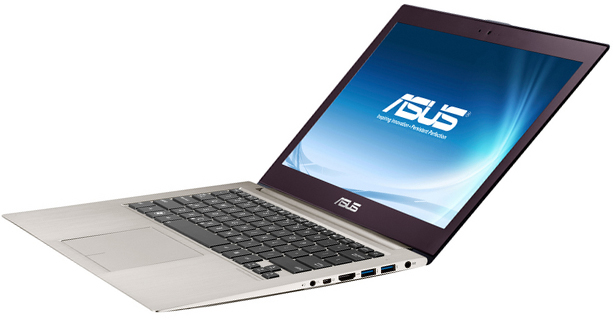
#1 Asus Zenbook UX32VD-R3001V - Php59,990.


Want large storage or more power, Asus is happy to obliged. Asus Zenbook UX32VD-R3001V is similar to the 13-inch MacBook Air but weighs a tab more at 3.2 pounds. It also cost a bit more at Php59,990. It is a good alternative choice if you want more storage or more graphics punch.

Quick specifications


  • OS: Windows 7 Home Premium
  • Display: 13.3-inch (1366 x 768 pixel resolution)
  • Processor: Intel Core i5-3317U (dual core 1.7 GHz)
  • Discrete Graphics: Nvidia GeForce GT620M with 1 GB of dedicated RAM
  • RAM: 4 GB
  • Storage: 500 GB SSD with a 24 GB SSD cache

  • Wireless: WiFi and Bluetooth 4.0
  • Notable Ports: USB 3.0
  • Card Reader: Yes
  • Webcam: Yes
  • Others: Backlit keyboard
  • Battery: 7 hour battery

The Asus Zenbook UX32VD-R3001V comes with a 500 GB hard drive with a 24 GB SSD cache. While this combo is not as fast as a pure SSD drive, if you want more storage, it is the way to go. Getting a MacBook Air with a 512 GB SSD is possible, but that will cost you all of Php97,990!

In addition the Asus Zenbook UX32VD-R3001V also comes with a Nvidia GeForce GT 620M discrete graphics card with 1 GB of dedicated RAM, making this Ultrabook a pretty decent  gaming platform.


#2 Samsung Series 5 Ultrabook Core i7 (NP530U4C-S03PH) - Php54,990


If you are willing to go a bit larger and heavier, at just over 4 pounds you have the 14-inch Samsung Series 5 Ultrabook Core i7 (NP530U4C-S03PH). This is like a Asus Zenbook UX32 on steriods. You get the same Nvidia GeForce GT 620M discrete graphics card with 1 GB of dedicated RAM, but with a more powerful 1.9 GHz Core i7-3157UM processor. You also get more RAM. For storage you get 1 terabyte of storage. All this for Php5,000 less.


Quick specifications

  • OS: Windows 7 Home Premium
  • Display: 14-inch (1366 x 768 pixel resolution)
  • Processor: Intel Core i7-3157UM (dual core 1.9 GHz)
  • Discrete Graphics: Nvidia GeForce GT620M with 1 GB of dedicated RAM
  • RAM: 6 GB
  • Storage: 1 TB hard drive with a 24 GB SSD cache

  • Optical drive: Yes
  • Wireless: WiFi and Bluetooth 4.0
  • Notable Ports: USB 3.0
  • Card Reader: Yes
  • Webcam: Yes
  • Others: No
  • Battery: 8 cell battery


If not for the 4 pound weight, we would not even consider the Asus Zenbook UX32VD-R3001V.


#3 Asus Zenbook Prime UX31A-R4003V - Php69,990

The Asus Zenbook Prime UX31A-R4003V is a fairly expensive notebook. Instead of the 50K+ units we have need looking at this one comes in at Php69,900. But it does boast a 256 GB SSD for storage, and is a lot than its competition with the same large 256 GB SSD drive. The Samsung 9 Series Ultrabooks and the Apple MacBook Air with 256 GB SSD's are priced at Php76,900 and Php72,900, respectively.


Quick specifications

  • OS: Windows 7 Home Premium
  • Display: 13.3-inch (1920 x 1080 pixel resolution)
  • Processor: Intel Core i7-3157UM (dual core 1.9 GHz)
  • RAM: 4 GB
  • Storage: 256 GB SSD
  • Wireless: WiFi and Bluetooth 4.0
  • Notable Ports: USB 3.0
  • Card Reader: Yes
  • Webcam: Yes
  • Others: No
  • Battery: 7 hour battery


But it is not just the lower price that makes the Asus Zenbook Prime UX31A-R4003V attractive. It comes with either a Full HD IPS (1920 x 1080) display and a fast Intel Core i7-3157UM processor.

Need even more power? Powerful ultraportables - A pair of Vaios'

While the MacBook Air's and Ultrabooks we have looked at are pretty powerful devices, they run on lower powered ultra low voltage processors and lack thing like optical drives.

#1 Sony Vaio S SVS13116FG - Php59,990

The Sony Vaio S is a "full-sized" 13.3-inch which weighs in a just 3.8 pounds. But this is not an ultrabook. I has is powered by the Ivy Bridge based Intel Core i5-3210M processor which runs at 2.5 GHz. This Core i5 processor is a tad bit faster than the Intel Core i7-3157UM you find in the Samsung Series 5 and Asus Zenbook Prime. The Nvidia GeForce GT 640M LE (1406 3DMark 11 points), also is much faster than the GT620M's (1026 3D Mark 11 points) on the Samsung Series 5 and Asus UX32VD Zenbook.  So, if none of the Ultrabook's is powerful enough for you. Sony Vaio S will give you what you are looking for. It also has an optical drive.

Quick specifications

  • OS: Windows 7 Home Premium
  • Display: 13.3-inch (1366 x 768 pixel resolution)
  • Processor: Intel Core i5-3210M (dual core 2.5 GHz)
  • Discrete Graphics: Nvidia GeForce GT 640M LE with 1 GB of dedicated RAM
  • RAM: 4 GB
  • Storage: 640 GB hard drive
  • Wireless: WiFi and Bluetooth 4.0
  • Notable Ports: USB 3.0
  • Card Reader: Yes
  • Webcam: Yes
  • Others: No
  • Battery: 6 hour battery


For graphics, that Sony Vaio S has the standard Intel HD Graphics 4000 plus a Nvidia GeForce GT 640M LE with 1 GB of dedicated video memory, so it does not disappoint in terms of graphics power either. Storage is provided by a  640 GB hard drive as compared.


A slice battery is also available for Php8,000, which can double this laptops battery life from six hours, to twelve hours.


#2 Sony Vaio S SVS1315GGB - Php79,990


Last on our list, you have the more powerful Sony Vaio S.

Quick specifications

  • OS: Windows 7 Professional
  • Display: 13.3-inch (1920 x 1080 pixel resolution)
  • Processor: Intel Core i7-3520M (dual core 2.9 GHz)
  • Discrete Graphics: Nvidia GeForce GT 640M LE with 2 GB of dedicated RAM
  • RAM: 8 GB
  • Storage: 759 GB hard drive
  • Wireless: WiFi and Bluetooth 4.0
  • Notable Ports: USB 3.0
  • Card Reader: Yes
  • Webcam: Yes
  • Others: No
  • Battery: 5 hour battery

A sheet battery is also available, which doubles the battery life. 

Quarter 3 2012 Mid-priced Ultraportable Laptop Buyers Guide (Php25K-50K)

0 comments

Last week we wrote a brief guide for low cost ultraportable laptops priced at less than Php25,000, and recommend four models with sizes ranging from 10.1-inches to 14-inches, and weighing in at 4 pounds or less. Three of them even have the latest connectivity options in the form of USB 3.0 and Bluetooth 4.0. 

This week we will look at what are good options with double the budget, with a range of Php25,000 to Pho50,000.


1. HP Pavillon DM1-4012TU - Php26,900

The HP Pavillon DM1-4012TU is a 11.6-inch Windows laptop. It is an older model running on a Sandy Bridge based Intel Core i3-2367M. In fairness was not my favorite in this category. I prefer the Lenovo Thinkpad e120, in if you can still find one, we would recommend instead.

Still the HP Pavillon DM1-4012TU is a good choice, and with its price having gone down to Php26,990 it is a good choice. It comes with a larger than average 640 GB hard drive and already does have HDMI out. Being an older model, it misses out on some of the new goodies like USB 3.0.


Quick specifications:

  • OS: Windows Home Basic (64-bit)
  • Display: 11.6-inch (1366 x 768 pixel resolution)
  • Processor: Intel Core i3-2367M (dual core 1.4 GHz)
  • RAM: 2 GB
  • Storage: 640 GB hard drive
  • Wireless: WiFi and Bluetooth 2.1
  • Notable Ports: USB 2.0 and HDMI out
  • Card Reader: Yes
  • Webcam: Yes
  • Battery: 6-cell (4400 mAh)


You can find out more about the HP Pavilion DM1 here1. I place it on the list to give an 11.6-inch option. But weighing in a 3.5 pounds, it is not particularly light.  The next on on the list is much better.


2. Samsung Series 5 Slimbook NP535U3C - Php29,900

The Samsung Series 5 NP535U3C has a 13.3-inch display, 0.69-inch case and weighing in at just over 3.3 pounds.  Priced a Php29,900, it is the poor mans Ultrabook or MacBook Air.

Still you wont feel underprivileged running it. The 4 GB of RAM will run Windows 7 nicely. The AMD A6-4455M accelerated processing unit inside is decently powerful, being a tad faster than the Core i3-2367UM in the HP Pavilion DM1 above. The on chip Radeon graphics will even do some 3D gaming.

Look around the case, and you will see a USB 3.0 port and HDMI out. It comes with Bluetooth 4.0. All in all, most users will be happy with this, and not really need anything more powerful.

Quick specifications:


  • OS: Windows Home Basic (64-bit)
  • Display: 13.3-inch (1366 x 768 pixel resolution)
  • Processor:  AMD A6-4455M (dual core 2.1 GHz) 
  • RAM: 4 GB
  • Storage: 500 GB hard drive
  • Wireless: WiFi and Bluetooth 4.0
  • Notable Ports: USB 3.0, USB 2.0 and HDMI out
  • Card Reader: Yes
  • Webcam: Yes
  • Battery: 6-cell (4400 mAh)


More info on the Samsung Series 5 NP535U3C at this link.


3. Samsung Series 5 Ultrabook NP530U3C - Php38,900/Php42,900


The Samsung Series 5 Ultrabook NP530U3C is basically an Ultrabook version of the NP535UC3 above. Meaning is has a Intel processor and a hybrid drive. There are two versions, one come with an older Core i3 Sandy Bridge processor, but does have a USB 3.0 port keeping it fresh. The more expensive comes with a new Ivy Bridge Core i5 processor.

Quick specifications:


  • OS: Windows Home Basic (64-bit)
  • Display: 13.3-inch (1366 x 768 pixel resolution)
  • Processor:  Intel Core i3-2367M (dual core 1.5 GHz) or Core i5-3317U (dual core 1.7 GHz)
  • RAM: 4 GB
  • Storage: 500 GB hard drive plus 24 GB SSD
  • Wireless: WiFi and Bluetooth 4.0
  • Notable Ports: USB 3.0, USB 2.0 and HDMI out
  • Card Reader: Yes
  • Webcam: Yes
  • Battery: 6-cell (6100 mAh)


One interesting thing with this is Samsung is promising its battery can last up to 1,500 cycles (charges and discharges), which is three time that of the typical battery (500 cycles) and double of the MacBook Air (700 cycles).


4. HP Envy Sleekbook 4-1055TX and Ultrabook 4-1054TX - Php40,990/Php44,990

My favorite in the under 50K class are the new HP Envy's, the Sleekbook 4-1055TX and Ultrabook 4-1054TX. The two are 14-inch Intel powered laptops with the only difference between the two being the hard drive. 

The 14-inch display makes them larger than your typical 11 to 13-inch ultraportable. They are relatively light for their size, at just 3.9 pounds. The 0.8-inch thickness should also make for good portability. Still, this is the largest and heaviest in the group.  


Quick specifications:


  • OS: Windows Home Premium (64-bit)
  • Display: 13.3-inch (1366 x 768 pixel resolution)
  • Processor:  Intel Core i5-3317U (dual core 1.7 GHz)
  • Discrete Graphics: AMD Radeon 7670M (2GB of dedicated RAM)
  • RAM: 4 GB
  • Storage: 500 GB hard drive (1055TX) or 

    500 GB hard drive 

    plus 32 GB SSD
  • Wireless: WiFi and Bluetooth 4.0
  • Notable Ports: USB 3.0 and HDMI out
  • Card Reader: Yes
  • Webcam: Yes
  • Battery: 4-cell LiPo

If you are willing to lug around the additional weight you do get one powerful machine which uses the Standard Intel HD graphics for lighter tasks, and has a second video card a AMD Radeon 7670M graphics card for more demanding tasks. To go with the fast video are Beats Audio with a subwoofer. 


5. 11-inch MacBook Air 64 GB - Php47,990


When I initially wrote this post, I did not include the 11-inch MacBook Air with the 64 GB drive, because i felt the 64 GB drive was too small. After sleeping over it, well that is really something for you to decide.


The 11.6-inch MacBook Air is really something nice to carry around. At 2.5 pounds in weight and 0.68-inches in thickness, it really does not weight all that much more, or substantially bulkier, than an iPad with a protective kickstand case. The 11.6-inch display has a 1366 x 768 screen resolution, which is a 16:9 not typical for a Mac, which use 16:10 displays. That really falls under trivia.


This little package packs plenty of power with a 1.7 GHz dual core Core i5 processor and 4 GB of RAM.


Quick specifications


  • OS: Mac OSX
  • Display: 11.6-inch (1366 x 768 pixel resolution)
  • Processor:  Intel Core i5-3317U (dual core 1.7 GHz)
  • RAM: 4 GB
  • Storage: 64 GB SSD

  • Wireless: WiFi and Bluetooth 4.0
  • Notable Ports: USB 3.0
  • Card Reader: No
  • Webcam: Yes
  • Others: Backlit keyboard
  • Battery: 5 hour battery


In the end, whether this is a good choice or not depends on whether you can live with a 64 GB hard drive. The absence of an SD Card reader makes the small hard drive even more of a issue. I would really recommend getting the model with the 128 GB SSD, but at Php52,990, well that is over our arbitrary 50K limit for this guide.


HP Envy Ultrabook 4-1054TX and HP Envy Sleekbook 4-1055TX

0 comments

Before we go into the details of these two laptops, it is worthwhile to note that the two are identical except in one aspect. The HP Envy Ultrabook 4-1054TX has a hybrid drive, which combines a 500 MB conventional hard drive with a 32 GB Solid State Drive (SSD) to act as a cache which helps speed up some aspects of system performance. Intel owns the terms Ultrabook, and in order to qualify to use the name a laptop much have a SSD or a hybrid drive.

The HP Envy Sleekbook 4-1055TX has a conventional 500 GB hard drive only. Hence, not qualified for the Ultrabook moniker. So HP coined its own term, the "Sleekbook".

The HP Envy Ultrabook 4-1054TX is priced at Php44,990. The  HP Envy Sleekbook 4-1055TX has identical specifications minus the 32 GB SSD. This allows for a lower price of Php40,990. 


Quick Specs:

  • Window 7 Home Premium 64-bit
  • 14-inch HD (1366 x 768) display
  • Intel Core i5-3317UM (1.7 GHz)
  • AMD Radeon 7670M graphics with 2 GB of dedicated RAM
  • 4 GB RAM
  • 500 GB hard drive/500 GB hard drive with 32 GB SSD
  • Card reader
  • USB 3.0 (x2)
  • HDMI Out
  • Bluetooth 4.0
  • WiFi
  • Beats Audio (two internal speakers with a subwoofer)
  • Webcam
  • 7-hour battery
  • 3.9 pounds

Now these things are after all called Ultrabooks and Sleekbooks, and as their name indicates they are a slim 0.78-inches thick.


I wont waste your time. These are my favorite 13-14-inch sub-50K ultraportables in the market. While having similar specifications to the  Samsung Series 5 and the 13-inch Sony Vaio T, these pair of HP Envy have discrete AMD Radeon 7670M graphics with 2 GB of dedicated RAM for about the same price as Samsung offering and Sony's Ultrabook. Basically, this is the most powerful off the three. The 14-inch form factor makes them a tad bit heavier than the Samsung Series 5 or the 13-inch Sony Vaio T, but the Samsung and the Sony are 13-inch Ultrabooks, while the HP Envy's are larger 14-inch ones. So the additional weight does give you are larger display.

Build quality is fine. You get an aluminum lid and palm rest. The keyboard is much better than the terribly shallow keys on the Sony Vaio T, and feels a bit nicer than the Samsung Series 5. A bit of flex towards the center, but not enough to bother me. The HP Envy's look professional while being really cool too. A conservative brushed black finished lid and case is mounted on a deep red bottom panel.  HP has hit a home run with this one.

Samsung Series 5 Ultrabook NP530U3C-A03PH

0 comments


Samsung has released a third variant of their 13.3-inch Series 5 Ultrabook. Samsung now has this Ultrabook in three variants. The first does not fall within the definition of an Ultrabook. While it uses the same thin and light frame as its siblings, Samsung Series 5 NP535U3C-A01PH is powered by AMD's A6-4455 Accelerated Processing Unit with a dual core processor and Radeon graphics. This unit is the cheapest among the three, priced at just Php29,900. The second is the Samsung Series 5 NP530U3C-A03PH, powered by Intel's new Ivy Bridge processor, with a power Core i5 dual core processor inside. The Intel Core i5 version, will set you back just Php42,900.

Now Samsung has a third variant, the Samsung Series 5 NP503U3C-A02PH. At the outset, we should say this is our least favorite among the three. It is price at Php38,900, which is 4K cheaper than its higher end sibling. Instead of the Ivy Bridge Core i5, you get an older Sandy Bridge Core i3. 

Other than that, it has identical specifications as its higher end sibling with a good amount of RAM at 4GB, a 500 GB hard drive with a 24 GB SSD cache, USB 3.0, Bluetooth 4.0, HDMI out, WiFi, webcam and a 4-in-1 card reader. Still, for just 4K more I would rather have the more power, and probably more power efficient Core i5 powered  Samsung Series 5 NP503U3C-A03PH. I would suspect though this model was released to undercut the price of Acers' Series 3 Ultrabook at Php39,900. The Samsung Series 5 NP503U3C-A02PH is the better choice than the Acer S3.

If you are looking for a slim (0.69-inch) and light (3.2 pound) laptop, Samsung with a budget of 30-40K, Samsung has all the bases covered. 

Asus Zenbook UX32VD-R3001V Ultrabook

0 comments


The Asus Zenbook UX32VD-R3001V is the lower cost variant of the Asus Zenbook line. This 13.3-inch laptop cuts cost by using a lower resolution (1366 x 768) display, a hybrid drive instead of a solid state drive (SSD). A hybrid drive is a conventional mated with a small SSD. The SSD is used to speed up some functions, like resuming from sleep. Some users would probably prefer the larger 500 GB storage of the Asus Zenbook UX32VD-R3001V, as opposed to the 256 GB SSD storage of the Asus Zenbook Prime UX31A-R4003V.


It comes with the Intel Core i5-3317U processor and 4 GB of RAM we see in most Ultrabooks these days. A bit of a surprise is that this Ultrabook comes with discrete graphics, a NVIDIA GeForce GT 620M graphics card, with 1 GB of RAM. 


Being an Ivy Bridge system, you get all the expected ports and slots, with a USB 3.0, HDMI out, Bluetooth 4.0 and a SD card slot. The Asus Zenbook UX32VD-R3001V also sports a back-lit keyboard. 


Physically the Asus Zenbook UX32VD-R3001V is identical to the higher end Asus Zenbook Prime UX31A-R4003V. Because of the use of a conventional hard drive, the Asus Zenbook UX32 is a bit thicker than the UX31A, but both are still just 0.7-inches thick at the thickest point. The conventional drive also makes the Asus Zenbook UX32 a bit heavier, at 3.2 pounds, compared to the 2.9 pounds of the UX31A.


The cost cutting brings the price of the Asus Zenbook UX32VD-R3001V to Php59,990. That is all 10K cheaper than the Asus Zenbook Prime UX31A-R4003V.

Asus Zenbook Prime UX31A-R4003V - Full HD Ultabook

0 comments

Most Ultrabooks in the local market have ditched the SSD drive in favor or a hybrid (conventional hard drive + SSD cache drive) in the interest of keeping the cost down. Looking at the available options right now, if you want an Ultrabook or Ultrabook like device, you have Apple's MacBook Air, Samsung Series 9 and Asus new Zenbook Prime as your options with an SSD drive installed by default. 


The Asus Zenbook Prime UX31A-R4003V is a fairly expensive notebook, at Php69,900. It is cheaper than Samsung 9 Series Ultrabooks and the Apple MacBook Air with a 256 GB SSD which are priced at Php76,900 and Php72,900, respectively.

 With a 13.3-inch screen the Asus Zenbook Prime UX31A-R4003V is a direct competitor to the 13-inch MacBook Air (256 GB). Between the two, the Asus Zenbook Prime has the edge in hardware.

The Asus Zenbook Prime UX31A-R4003V comes with a Full HD IPS (1920 x 1080) display, as compared to the lower resolution 1440 x 900 display on the 13-inch MacBook Air. If you ask me, a full HD display on a 13.3-inch laptop may be too much of a good thing but I will concede that it does allow for playing Full HD content in its native size and makes pictures look sharper. Please note that some lower priced Asus Zenbook Prime UX31A's come with a 1600 x 900 display, so check the specifications well before you purchase if you want the 1080p display.

The Asus Zenbook Prime UX31A-R4003V also comes with a faster Intel Core 17 processor, a 3157U which is faster than the Core i5 unit you find on the MacBook Air.
The other specifications of the two are nearly identical with similar size and wright, both with  4 GB of RAM, back-lit keyboards, USB 3.0 and Bluetooth 4.0. Both have nearly identical battery life. The main differences are in the ports. The MacBook Air has a Thunderbolt port while the Asus Zenbook Prime UX31A has HDMI out. The Thunderbolt port is more impressive in terms of technology, but HDMI out is more useful in real world use. Not that many Thunderbolt compatible peripherals in the market. Plugging a MacBook Air to your LCD TV still requires an adapter.

Of course, the other major difference is that the Asus Zenbook Prime UX31A-R4003V runs Windows 7 Home Premium, while the MacBook Air runs on Mac OSX.  I think, this will be the major factor in selecting which among these two you prefer. 

13-inch Ultrabook Showdown - Samsung NP530U3C A02 versus Sony Vaio T13 (SVT13115FGS)

0 comments

A few days ago we compared the 13-inch Apple MacBook Air (128 GB) versus the Samsung NP530U3C A02. There really is no real winner or looser in this comparison. The MacBook Air runs Mac OSX and the Samsung Ultrabook runs Windows. 

Samsung NP530U3C

The Samsung Ultrabook is a lot cheaper, priced Php15,000 less, but comes with a hybrid drive which combines a 500 GB conventional rotating disk hard drive with a 24 GB solid state drive used for cache. The MacBook Air cost more but comes with a more expensive 128 GB solid state drive. So basically it comes down to less but faster storage versus more but slower storage. 

The MacBook Air can be upgraded to 256 or 512 GB of flash storage but this would add up to the price a lot. A 13-inch Macbook Air with 256 GB of storage would cost Php72,990, and bringing it up  to 512 GB bring the price all the way up to Php97,990. 

So in the end, those looking for a slim and like 13-inch laptop have the Samsung NP530U3C at Php42,990 and the 13-inch MacBook Air (128 GB) at Php57,990... and out best advice comes down to is pick your own poison. 

Sony Vaio T13

Sony has thrown in its own 13-inch Ultrabook into the field, the Sony Vaio T13 (SVT13115FGS) and this one is a direct competitor to the Samsung NP530U3C.

The Samsung is cheaper. Samsung wings this category. The Samsung NP530U3C is priced at Php42,990 while the Sony Vaio T13 is priced at Php49,999. Both prices allow for 12-months deferred payment, and if you buy it for cash you get get around a 10% discount for either Ultrabook. 

Both laptop have the same innards. Both the Samsung NP530U3C and the Sony Vaio T13 have the same processor, pre-installed RAM, storage and features.

Commons specifications:
  • 13.3 inch HD (1366 x 768) display
  • Intel Core i5-3317U processor (Ivy Bridge)
  • Intel HD 4000 graphics
  • 4 GB of RAM
  • 500 GB hard drive (5400 rpm) with a solid state drive cache
  • SD card reader
  • USB 3.0 and USB 2.0
  • HDMI out
  • Bluetooth 
  • Webcam
  • WiFi

Does the Sony Vaio T13 have additional hardware to justify the higher cost? The Sony Vaio T13 costs all of 7K more. The Sony Vaio T13, has a Memory Stick Duo slot in addition to the card reader. It also comes with Windows 7 Home Premium (64-bit) instead of the Windows 7 Home Basic on the Samsung NP530U3C. 

The SSD drive use for cache on the Sony Vaio T13 is also a larger 32 GB than the 24 GB SSD drive on the Samsung NP530U3C. Whether this makes any real world difference, I cannot answer right now. Suffice it to say that Sony does have some add-ons to justify a higher price tag. 

Thinness and lightness. Buyers looking at this two options are concerned about portability. The Samsung is the lighter of the two at 3.2 pounds, while the Sony weighs in at 3.5 pounds. Both are about the same thickness, with the Sony being less than 1 mm thicker, but visually the Sony looks thicket because its frame is of equal thickness throughout the entire length of the chassis while the Samsung get thinner at the front. After picking up these two laptops, I really do not feel that one is more portable than the other, but if it comes down to numbers, the Samsung NP530U3C.

Where the Sony falls short - battery life. Unfortunately not all the hardware of the higher priced Sony Vaio T13 is better than that on the Samsung NP530U3C. Sony rates its Vaio T13 to have a 4.5 hour battery life. Samsung rates it own unit to have 6.5 hours of battery life. The reason for the difference is that the Samsung has a 4-cell 6100 mAh Li-Po battery, as compared to the 4050 mAh Lithium Ion battery on the Sony. 

Winner: Samsung NP530U3C AO2. Personally, I really do like the Sony more, but mainly that is based on the fact that I like the way it looks. But what is hard to ignore is the larger battery on the Samsung NP530U3C. Both laptop looks equally good for the money, until you factor in the battery life which I think is enough reason to give declare the Samsung NP530U3C the winner.

Samsung NP900X4D A01PH - A Truly Amazing Ultrabook

0 comments


Many people consider laptops with 15-inch displays as desktop replacements. Sure some people carry them around, but weighing in at about 6-pounds they heavier than we would recommend for the mobile user. Intel push for the development of Ultrabook has reignited the creative juices of its OEM partners, and some of the results are pretty amazing.


The Samsung NP900X4D A01PH is a laptop with a 15-inch display, but designed around Ultrabook parameters it weighs an amazingly light 3.63 pounds. While we think going thinner and thinner is getting a bit irrelevant, it is also one of the thinnest laptops in the market at 0.58 inches, thinner than the MacBook Air and Asus Zenbook. All this goodness cost a lot, all of Php76,900 but when you consider what it has under the hood it is actually priced rather low. To take things into perspective, this is about the same price as the 13.3-inch MacBook Air with a Intel Core i5 processor and  256 GB solid state drive. 


The Samsung NP900X4D A01PH makes no compromise on its Ultrabook nature also coming with a 256 GB solid state drive and up the ante with its Intel Core i7-3157U processor. With 8 GB of RAM it also comes with twice the RAM of the similarly priced MacBook Air. So while the Samsung NP900X4D A01PH is not cheap, it does provide very good value for your money.

No compromises are made. The 15-inch display is a bright (400-nit) high resolution HD+ (1600 x 900) display. Rather than the easily scratch aluminum you find in many Ultrabooks, the Samsung NP900X4D A01PH is built from good old magnesium. The battery is an eight cell battery which can provide as much as ten hours of battery life. It also has all the bells and whistles with a backlit keyboard, USB 3.0, HDMI out, card reader, WiFi and Bluetooth 4.0. For an operating system you get Windows 7 Professional (64-bit). 

If you are looking for a portable 15-inch laptop, this is the best deal in the Philippine market.

Premium 11.6-inch Ultraportables: Sony Vaio T11 (SVT11113) versus 11.6-inch MacBook Air

0 comments

While there have been plenty of 13.3-inch and large Ultrabooks designed to compete with Apple's popular MacBook Air laptops (Apple does not like its MacBook Air series being referred to as Ultrabooks), the 11.6-inch battlefield has been pretty barren. You had two 11.6-inch MacBook Air offerings and the 11.6-inch Asus UX21 Zenbook. With the 11.6-inch MacBook Air notebooks having migrated to Ivy Bridge, and the new Zenbook's still incoming, Apple had that field alone for a few days. Now enters Sony's own offering in this arena, the 11.6-inch Sony Vaio T11.

Price. Neither of these two offerings is cheap. The price of the entry level 11.6-inch MacBook Air with a 64 GB of flash storage has gone down to Php47,990. This makes it the cheapest MacBook ever. Still 64 GB of storage, will leave you with just over 30 GB of storage after you install some basic software, like an office suite. For 5K more, at Php52,990 you can get the same 11.6-inch MacBook Air with 128 GB of flash storage. This model seems like the better choice to me. The 128 GB model is really worth the additional money.

Sony Vaio T11

The Sony T11 comes in at the same Php47,990 price of the cheaper of the two 11.6-inch MacBook Airs. But at this price you can actually get it at 12-months zero interest. Pay cash or make a straight payment trough a credit card and you can get about 10% off on the retail price. This would make the Sony Vaio T11 Php4K to Php9K cheaper than either MacBook.

Operating systems. The Apple, or course runs Max OSX, the Sony run on Windows 7 Home Premium. If you are not open to both operating systems, well that should decide which of this two is for you. You can install Windows on a MacBook, but I really think dual booting with boot camp is a waste of money. If you use Windows apps, but a Windows laptop.  

Storage. Ultimately, if you are looking for a premium 11.6-inch slim ultraportable, right now there are really just these two. The deciding factor for most buyers I think will be home much storage they want. The 11.6-inch Apple MacBook Air has two storage options, 64 GB and 128 GB of flash storage. The Sony Vaio T comes with a 500 GB conventional hard drive with a 32 GB SSD for cache (hybrid drive). Flash storage makes it more battery efficient, is lighter and loads apps and files store on the flash storage faster. The 320 GB hard drive on the Sony Vaio T11 offers much more space, and has a 32 GB SSD cache for quick resume from sleep and quick launching of frequently used apps.

If I was picking between a 128 GB SSD and a 320 GB hybrid hard drive, I would pick the 128 GB SSD. But I am only using 70GB on my current hard drive so 128 GB gives me sufficient headroom for a few more years. I think this will be a subjective choice.

11.6-inch Apple MacBook Air

Portability. The Apple MacBook Air is impressively thing at just 0.68-inches at its thickest point. There are thinner laptops now, but really at this point, who cares. The Sony Vaio T is a bit flabbier at 0.71-inches. Visually, the MacBook Air looks a lot thinner because of its wedge shape casing.

The MacBook Air  though is much lighter at 2.38 pounds, while the Sony Vaio T11 comes in at 3.04 pounds. The conventional hard drive and larger case make up the weight difference.

Battery life. The 11.6-inch MacBook Air has a 5 hour battery life. The Sony Vaio T11 comes in at 4.5 hours. Not much difference, but 30 minutes is 30 minutes.

Other specifications a very similar. Both laptops come with 1.7 GHz dual-core Intel Core i5-3317U processors and 4 GB of RAM. Both have 11.6-inch (1366 x 768 displays). Both comes with USB 3.0 ports, WiFi, Bluetooth and the other trimmings you expect to find in a laptop these days. Both do not have optical drives.

What does the MacBook Air have over the Sony Vaio T11? A fair bit, actually. The 11.6-inch MacBook Air has a back-lit keyboard and a Thunderbolt port. Back-lit keyboard is a big plus. Thunderbolt storage, theres is little use of that for now.  We also like the 11.6-inch MacBooks keyboard a bit better, and the right shift key is full sized, unlike the reduced size one found on the Sony Vaio T.  

What does the Sony Vaio T11 have over the MacBook Air? A lot actually. The Sony Vaio T11 has a HDMI port. With the MacBook you get a Mini Display Port which needs an adapter to plug into your LCD TV. The Sony Vaio T only needs a HDMI cable. You also get an SD Card reader, something you do not get in the 11.6-inch MacBook Air. 

It also has a full sized LAN port. WOW. Seriously, does anyone still use these things?  

The thing we like most about the Sony Vaio T11 is that there is a standard laptop with a access panel at the bottom which makes it easy to remove and replace the battery when it gets older, and upgrade the memory. The Sony Vaio T11 comes with 1 4GB dimm soldered on with one empty RAM slot. Upgrading this to 8 GB is easy. You cannot upgrade the MacBook Air's RAM after purchase. I am not sure if it is possible to replace the hard drive from in there though.

Verdict. No winners or lossers here. Both fine choices. The MacBook Air costs more and gives you faster flash storage. The Sony Vaio T11 cost less and gives you 4 to 8 times the storage, but using a hybrid drive. 

Ivy Bridge Ultraportable: 13-inch Apple MacBook Air (128 GB) versus the Samsung NP530U3C A02

0 comments

The Ivy Bridge Ultrabooks are starting to roll in with the Apple MacBook Air and the Samsung Series 5's. In a move that appears to be designed to challenge the onslaught of Windows Ultrabooks, Apple has made deep cuts into the prices of its MacBook Air line-up. In particular the new 13-inch Apple MacBook Air notebooks Php6,000 yo Php7,000 cheaper than last years models. Is the price cut enough to stop Windows Ultrabook in their tracks? You decide.


13-inch Apple MacBook Air. Is one nice piece of equipment, which mates a sufficient amount of power in portable and light frame. The 13-inch entry level MacBook Air packs a Intel Core i5 (1.8 GHz) dual core processor and 4 GB of RAM. The laptop sports a 13.3-inch display with a 1440 x 900 pixel resolution in a slim 0.68-inches case, which weighs in a just under 3 pounds. Battery life is up to 7 hours.

The main point of contention is the benefit of the SSD. I use a MacBook Air and am sold with SSD's. It allows for the operating system to boot, resume and shutdown quickly. Applications load fast. The drawback is cost. The entry level 13-inch MacBook Air comes with 128 GB of storage, which many do not consider enough.

Price for all this? Php57,990. This is a really good price. Just three years ago, this type of laptop would cost you over 100K.


Samsung NP530U3C A02. The Samsung NP530U3C A02 is one of the new breed of hydrid Ultrabooks. It is slim and light, but uses a conventional hard drive mated with an 24 GB SSD. The SSD is used for and allows for quick resume from sleep and hibernation, but for other tasks you have an old fashioned rotating disk hard drive. 

The Samsung NP530U3C A02 has a 13.3-inch display with a 1366 x 768 resolution, in a slim 0.69-inch frame weighing in at a heavier 3.2 pounds. The conventional hard drive accounts for the additional weight.  Inside you a Intel Core i5-3317UM (1.7 GHz) dual core processor and 4 GB of RAM. Storage is 500 GB, provided by a conventional but slim hard drive. Battery life is just about 6 hours.

Price? Php42,900.

Operating system. We wont be discussing the benefits of the operating system. Both work well, with Windows having a much larger ecosystem of compatible software than Mac OSX. If you prefer one OS or the other, there is no point choosing between these two.

Price. The most important factor to consider is price. The Samsung NP530U3C A02 is 15K cheaper than the 13-inch MacBook Air. Both have enough power to do what you expect from an Ultrabook, so if you are looking for the value for money option, well the Samsung easily takes that crown.

The Samsung is the value for money option. No surprise there.

Storage. I prefer SSD drives. They are faster, lighter and more energy efficient. I rely a lot on cloud storage and could live with 128 GB, but my own MacBook Air has a 256 GB SSD). You can get the MacBook Air with a 256 GB SSD, but that adds another 15K to the cost. Both laptops have SD Card slots.

In terms of storage, some would prefer the 128 GB SSD on the MacBook Air. I suspect that more buyers will prefer the the 500 GB on the Samsung NP530U3C A02.  Both laptops have SD Card slots.

Unless 128 GB storage is enough for you the Samsung NP530U3C A02 is probably the better choice.

The MacBook does have a few bell's and whistles. The 13-inch MacBook Air sports a higher resolution display. This is both a plus and a minus. While the higher resolution display offers more real estate, I still feel that Mac OSX is still designed to work optimally with the 1280 x 800 resolution. Some elements of the desktop looks a bit small to my eyes on the 1440 x 900 display on the MacBook Air. Both laptops have USB ports, but only the MacBook Air has a Thunderbolt port. At present, Thunderbolt technology is of little practical value.

The MacBook Air also features a back-lit keyboard. Something that can be useful when working in darker environments.


The most compelling feature of the 13-inch MacBook Air over the Samsung NP530U3C A02 is the back-lit keyboard.


The Samsung NP530U3C A02 has some advantages of its own. The Samsung NP530U3C A02 has a full sized LAN port and is bundled with a VGA port dongle. I do not think many users will really appreciate these, unless you rely on legacy hardware.


The Samsung NP530U3C A02 does have a HDMI port, which will allow you to plug it directly into you HD LCD TV. The MacBook Air needs an HDMI adapter in order for it to be able to plug into a LCD TV. Apple looks like it will be adopting the HDMI port as standard in the future, its "retina" display MacBook Pro having an HDMI port.

The most compelling feature of the Samsung NP530U3C A02 over the 13-inch MacBook Air is the HDMI port.

Out take. It is hard to argue with a 15K price difference. If you need more than 128GB of storage,  that will be an additional cost for an external hard drive, high capacity SD card or a full-on SSD upgrade. The 13-inch MacBook Air is a beautiful piece of hardware. When it came out in late 2010, at 63K than seemed to be a bargain. Now, two years later, at even 8K less, there are much cheaper alternatives.

If you are looking at value for money, Samsung NP530U3C A02 is it. If you prefer the 13-inch MacBook Air, the reality is that SSD drives are expensive. If you want the SSD, the MacBook Air is well priced when compared to other Ultrabooks with a 128GB SSD.


If you are looking for something with a bit more power, you may want to take a look at the Apple MacBook Pro and Samsung NP530U4C S03 at this link.


Related Posts Plugin for WordPress, Blogger...
 
Mr. Android © 2011 Design by Army Boots