





Facebook Facebook Facebook Facebook

ANDROID

Showing posts with label photo. Show all posts

Photo Editor for Android - Aplikasi Edit Foto Gratis

0 comments

download Photo Editor for Android - Aplikasi Edit Foto Gratis
Aplikasi Edit foto untuk android ini cukup simple dan sangat mudah digunakan dan tentunya gratis. dengan aplikasi ini kita bisa dengan mudah mengedit gambar dengan efek standar namun tetap menambah nilai cantik foto anda.
saat kami mencoba Photo Editor for Android apk ini, kami menemukan beberapa fitur utama seperti:
- efek sephia: ini mungkin efek paling jadul dan paling sering kita temua di setiap aplikasi edit photo, namun tetap saja menarik untuk dicoba.
- sketsa; nah ini adalah fitur yang sedikit lebih baik karena dibeberapa aplikasi android aplikasi untuk membuat sketsa itu tidak gratis
- efek blur, cukup baik untuk sebuah aplikasi gratisan
selain itu kita juga bisa mengubah gambar berwarna menjadi gambar hitam puti dengan fitur "black and white", ada juga fitur untuk mengatur keseimbangan warna, mengatur kecerahan dan fitur mirroring yang bisa memutarkan gambar hingga 90 derjat.

kesimpulan; meskipun aplikasi Photo Editor for Android ini gratisan tapi fitur yang disematkannya cukup membuatnya layak sebagai aplikasi edit foto gratisan terbaik. dan sangat disarankan untuk mencobanya.

Photo Editor for Android Apk
latest update : new version 1.3
support android 2.2 froyo, android 2.3 gingerbread, android tablet 3 honeycomb, android 4 ice cream sandwich, android 4.1 Jelly Bean or above
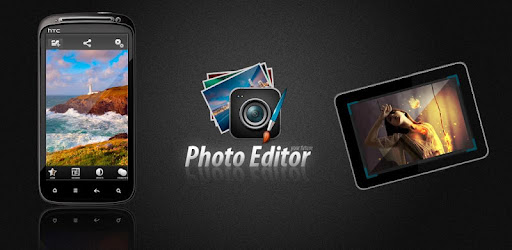
Photo Editor for Android - Aplikasi Edit Foto Gratis

Photo Editor for Android bekerja dengan baik untuk android froyo keatas.

disclaimer: this app is  FREE, please buy in android market or visit developer's website
Please support the developers if you like their app.
tags : aplikasi android, game, app, apps, support android phone: samsung galaxy, ace, mini, s2, s3, nexus, y, sony xperia, x10, x8, motorola, LG, HTC, droid, nexus, s, nexian, zte, and all android phone
Download Photo Editor for Android - Aplikasi Edit Foto Gratis
[download apk]

Cymera 1.1.1 Apk Aplikasi Kamera terbaik untuk android

0 comments

download Cymera 1.1.1 Apk Aplikasi Kamera terbaik untuk android

Aplikasi kamera terbaik untuk potret, 'Cymera'
'Cymera' adalah aplikasi Android gratis yang membantu siapa saja untuk mengambil foto seperti seorang fotografer profesional dengan menggunakan 7 macam lensa besar dan 4 macam mode pengambilan gambar dan juga menyediakan berbagai efek dekorasi dan filter melalui pengenalan wajah sehingga Anda dapat membuat foto unik Anda sendiri.
Anda djuga apat dengan mudah berbagi foto dengan berbagai SNS seperti Cyworld, Facebook, Twitter, Weibo, danMixi. Sekarang, dengan mudah dan cepat membuat kenangan berharga dari hari-hari biasa Anda dengan 'Cymera'.

Cymera 1.1.1 Apk Aplikasi Kamera terbaik untuk android
support Android : android 2.2 froyo, android 2.3 gingerbread, atau diatasnya

Cymera 1.1.1 Apk Aplikasi Kamera terbaik untuk android


[Fitur Utama]
★ fitur kamera Powerfull
- 7 Lensa Kamera seperti D-SLR
- Amazing 'keluar berfokus' mode untuk pacar Anda
- Berbagai modus pemotretan seperti ', stabilisasi waktu gambar (untuk foto yang stabil mengambil), sentuhan tembakan(Layar sentuh) dan lain-lain 'untuk setiap situasi
- Fitur tambahan seperti 'kotak pada gambar, menyimpan foto asli dan self-shot mode'

★ filter Berbagai foto yang menambah kepekaan pada foto
- Efek berdasarkan analog -emosi seperti 'filter Film, Light effects, dan perbatasan' 20 + untuk setiap
- 'Auto-koreksi' untuk memperbaiki foto dengan sangat cepat (tegak, mendatar, makanan, teks)

★ Kecantikan efek dan fitur menyenangkan dekorasi dengan menggunakan pengenalan wajah
- Wajah Otomatis fitur pengenalan
- Berbagai efek keindahan seperti 'Mata Besar, Slim, Brightening, Mosaic melalui Face Recognition
- Anda dapat dengan mudah menghias gambar dengan menggunakan stiker, masker komik, dan frame mewah

★ berbagi foto Mudah di SNS dan Album Foto Saya
- Anda dapat dengan mudah mengelola foto yang diambil dengan Cymera oleh tanggal
- Anda dapat berbagi foto Anda pada SNS berbagai global seperti Cyworld, Facebook, Twitter, dan WeiboMixsh

Cymera 1.1.1 Apk Aplikasi Kamera terbaik untuk android
disclaimer: this app is not FREE, please buy in android market or visit developer's website
Please support the developers if you like their app.
tags : aplikasi android, game, app, apps, support android phone: samsung galaxy, ace, mini, s 2, sony ericsson xperia, x10, x8, motorola, LG, HTC, droid, nexus, s, nexian, zte, and all android phone
Cymera 1.1.1 Apk [download apk]

Aplikasi Edit Photo Android: Camera Fun Pro 4.0 Apk

0 comments

download Camera Fun Pro 4.0 Apk
Aplikasi edit poto untuk android

latest update : new version 4.0 | 4.7 MB
support Android : android 1.6 donut, android 2.0 / 2.1 eclair, android 2.2 froyo, android 2.3 gingerbread, android tablet 3 honeycomb, android 4 ice cream sandwich or above

Camera Fun Pro 4.0 Apk - Mediafire Download
Aplikasi Poto untuk Android

Awesome point & shoot Photo effects lens for Android camera! Point & shoot Photo effects lens for Android camera. The most entertaining photography app - guaranteed!

download Camera Fun Pro 4.0 Apk

Aplikasi Edit Photo Android: Camera Fun Pro 4.0 Apk
v4.0 update:
- New feature – apply frames to pictures (in picture preview screen)
- Fixes for sound & camera orientation
- Improved camera engine

Just point your Android camera and see LIVE Photo effects on the screen BEFORE you click a picture - no fuss, no muss and no guessing how your pictures will turn out!

---------------------------------------
Wall Street Journal Review
---------------------------------------

... the app that got the most attention around the dinner table was Camera Fun!! - Wall Street Journal, 8th Dec 2010.

Camera Fun Pro is in the Top #5 Photography apps in ALL 26 countries!
---------------------------------------

29 Lens included: Alphabet, Avatar, Black & White, Blueprint, Bulge, Canvas, Chalk, Chess, Color X-Ray, Emboss, Glass, Light Tunnel, Mirror, Neon, Night Vision, Oil Brush, Pinch, Pixel, Poster, Sepia, Sketch, Stretch, Swirl, Thermal, Tunnel, Vintage Sketch, Watercolor, Wave & X-Ray.

Permissions: Read/write permissions for contact data is needed to set a photo as a contact icon, read/write to SD card is need to load and save photos.

download Camera Fun Pro 4.0 Apk
disclaimer: this app is not FREE, please buy in android market or visit developer's website
Please support the developers if you like their app.
tags : aplikasi android, game, app, apps, support android phone: samsung galaxy, ace, mini, s 2, sony ericsson xperia, x10, x8, motorola, LG, HTC, droid, nexus, s, nexian, zte, and all android phone
download Camera Fun Pro 4.0 Apk
Aplikasi Edit Photo Android: Camera Fun Pro 4.0 Apk
PRO version Please buy here [android arket]

How to create a Disco Party Poster in Photoshop

0 comments

Disco Parties are the entertaining part of our hectic and tense life. Inviting other to Disco Party needs some kind of invitation card or posters. The more attractive is Disco Party Poster the greater will be the number of dance participant. So, today's Photoshop Tutorial is focused on Creating a Beautiful and Attractive Disco Party Poster.

How to create a Disco Party Poster in Photoshop

Resources Required

Tools: Adobe Photoshop CS3
Skills: Intermediate-Advanced Skills
Completion Time: 2-2.5 Hours
Girl Dancer Image
 

Designing The Disco Party Poster

Step:1

Create a new Document with Width 864px and Height 1296px and Resolution 72px
Rename the Layer to Background 
Fill the Background Layer with any color Alt+Backspace
Double Click Background layer to open Layer Style Dialogue Box,
Select Gradient Overlay
Set the Left Color Stop to Color #2e0568 and Right Color Stop to Color #000000


Create a new Layer Above Background Layer and Rename it to Spotlight
Select Brush Tool, Air Brush soft rounded corner with Radius 700 px and color #1c5853
Make two spots Left and Right Upper corner


Create a new Layer and name it as Color Overlay
Using the same size Soft Rounded Air Brush make a big spot on left corner with color#1bb3d9
Using Color#06a519 Make another big spot on the right corner of canvas
Double Click to open Layer Style dialogue box, set the general blending Blend Mode to Overlay


Create a new Layer naming it Circle.
Using the Elliptical Marquee Tool make a big circular selection and fill this with color#ffffff (White)
Change the Circle Layer opacity to 20%


Create a new Layer and name this Rings
Using the Elliptical Marquee Tool make another selection a bit smaller than Circle Layer
Fill it with color#ffffff, Keep the selection on and move to Select > Modify > Contract. Set the radius to 10.
This will reduce your selection by 10px. Hit DEL
You'll get a nice ring as shown below.


Using the same technique draw rings as shown in the image below
Select All Layers of Rings and Circle. Merge them as shown, Rename this to Rings


Select the Rings layer and move to Filter > Blur > Lens Blur
Set the radius to 50
Double Click the Circle Layer and change Blending Mode to Overlay and Opacity to 80%


Now Import the Dancing Girl Image into this. Rename layer to Dancing Girl.
Place it as shown in the image. Duplicate the Girl Layer and name it DG Reflection.
Select Move Tool and Flip Vertical the DG Reflection layer image.
Move the DG Reflection Image down the canvas so the bottom of feet of both layers touch each other.


Select the layer Rings and Add a new layer above it.
Rename it to Wind. Using Rectangular Marquee Tool draw a rectangular selection, fill this with color#ffffff


Keeping the Wind layer selected, deselect the path and move to Filter > Stylize > Wind
Press Ctrl+F repeatedly till you get the image similar to shown below.


Now select the Move Tool and Rotate the Wind layer CCW90'


Again move to Filter > Distort > Polar Coordinates
Place the Wind layer as shown in the image


Change the Blending Mode of Wind Layer to Overlay and set its Opacity to 35%


Duplicate the Dancing Girl Layer.
Select the Dancing Girl Layer and from Layer Style Dialogue Box select Outer Glow.
Set the Color # 0ad1e3 and change the Outer Glow Blend Mode to Overlay


Using the Pen Tool Draw path as shown.


Create a new layer above Dancing Girl Copy layer and name it to Electric Beams
From Brush Tool (B) select Soft round 17 px brush.
Now select Direct Selection Tool (A)
Set the Foreground color to #ffffff
Right Click on the Image and select Stroke Path
Click Ok, right Click on the image select Delete Path


Double Click Electric Beam layer to open Layer Style dialogue box
Select Outer Glow
Set the color#fb0000, Spread 4, Size 38


Using the Pent Tool delete some portions of the Electric Beam Layer to give a Electric Beam swirling effect to image.


On the same layer, select Brush Tool Star 26 Pixel and make some stars close to the electric beams.
Create a new layer above the Electric Beam Layer and name it Stars
Using some more Star brushes make stars on that layer


Download Dancing People Auto Shapes
Create a new layer above Stars
Using the Auto Shapes Tool (U) select different shapes of dancing people.
Fill these with color#000000
From Layer Style dialogue box
Set the General Blending Mode to Overlay and Opacity to 25%

You Can Now Insert Text of your Own Choice and Give Effects what you like


Related Posts Plugin for WordPress, Blogger...
 
Mr. Android © 2011 Design by Army Boots